
Please visit our channel & subscribe: https://youtube.com/dhakawebhost
To setup a VPS from client area you need to log in to your Dhaka Web Host client panel. Please just follow the steps given below;
Step 1: Go to dhakawebhost.com and log into Dhaka Web Host client panel using your registered email address and password.
Step 2: Click on "Service" (see the image with red mark boundary)
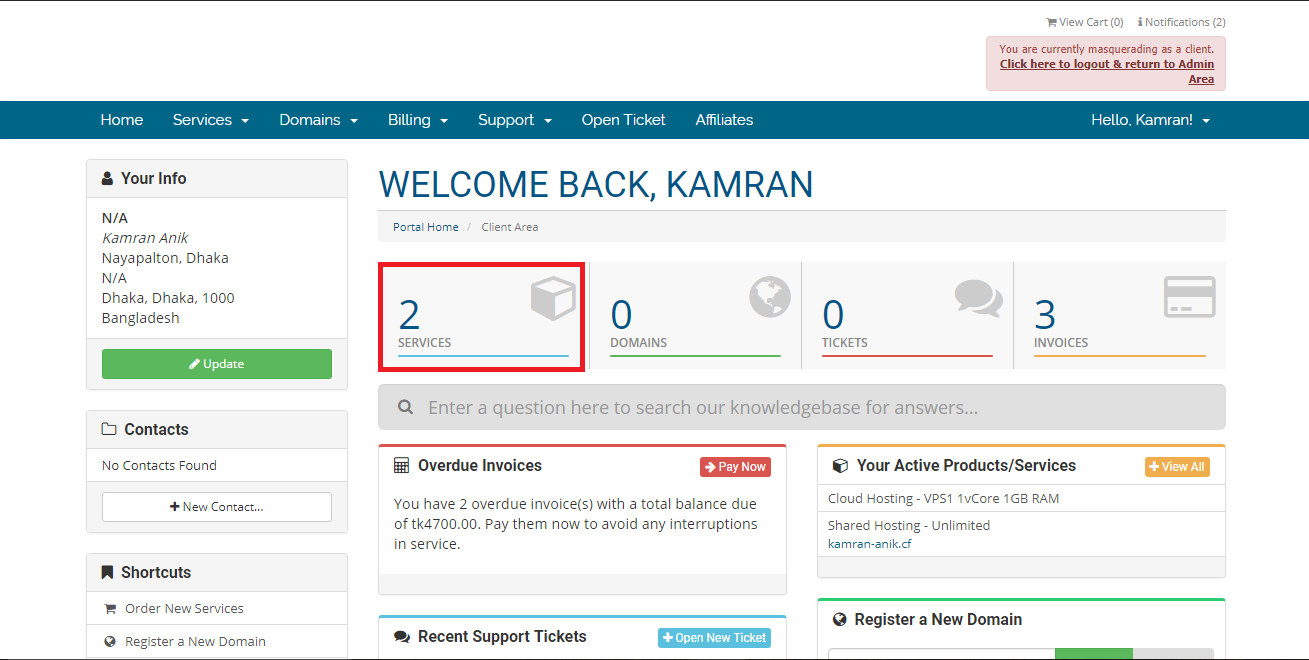
Step 3: Click on VPS package (Example: VPS1 1vCore 1GB RAM)
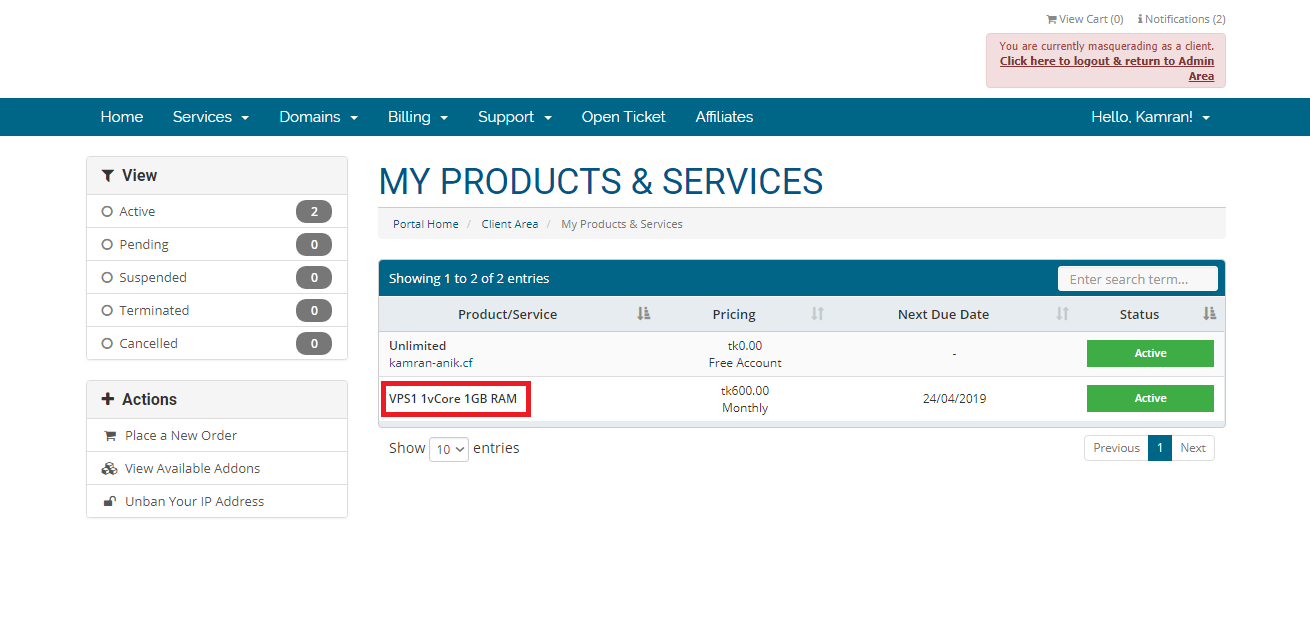
Step 4: The configuration process starts from here (Just modify the boxes with red mark)
>> Scroll down and stay under "Manage" tab
>> Enter your server level -> anything as you want
>> Enter your server hostname -> your desire server name (Ex: server.yourdomain.com)
>> Select location -> New Jersey (US)
>> Click on "Create" and wait till it finishes the setup.
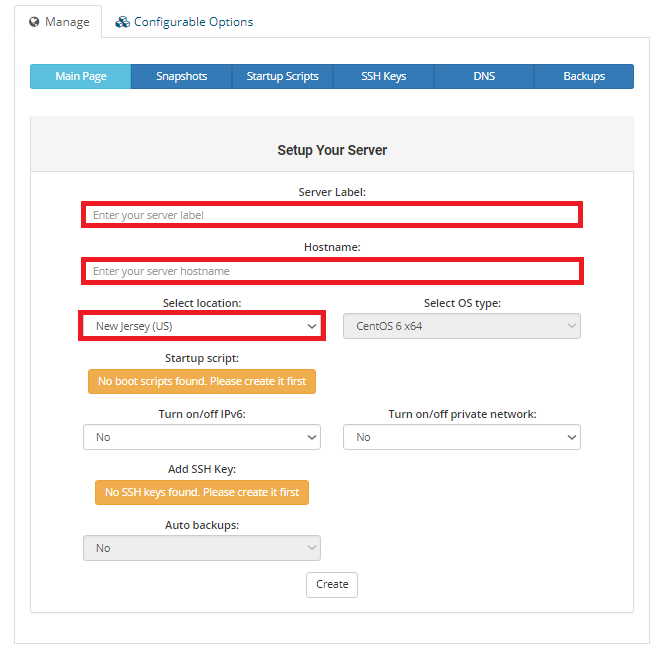
>> Scroll down and stay under "Manage" tab
>> Enter your server level -> anything as you want
>> Enter your server hostname -> your desire server name (Ex: server.yourdomain.com)
>> Select location -> New Jersey (US)
>> Click on "Create" and wait till it finishes the setup.
Step 5: After completing the installation you will be able to see the control panel as it is showing in the image below. In this step;
>> You can change the virtual machine name which you have set before in step 4 (Enter your server level -> anything as you want)
>> You can choose & change the OS Template such as CentOS, Ubuntu and more
>> You will get your host IP and root password which you need to log into the server using any ssh client server (Ex: Putty, Bitvise ssh client).
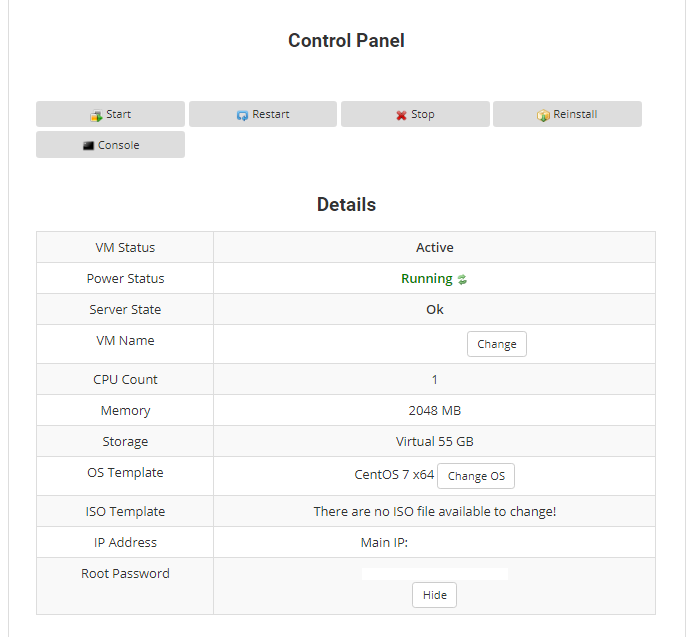
>> You can change the virtual machine name which you have set before in step 4 (Enter your server level -> anything as you want)
>> You can choose & change the OS Template such as CentOS, Ubuntu and more
>> You will get your host IP and root password which you need to log into the server using any ssh client server (Ex: Putty, Bitvise ssh client).
That's it...
