Use site publisher to publish one page website

 
You can use this interface to quickly create a website from a set of available templates. This allows visitors to see some basic information while you continue to develop your website.
 
 
Step 1: Log into your cpanel by providing your username and password.

ModulesGarden

 
Step 2: Go to Site Publisher under DOMAINS section.
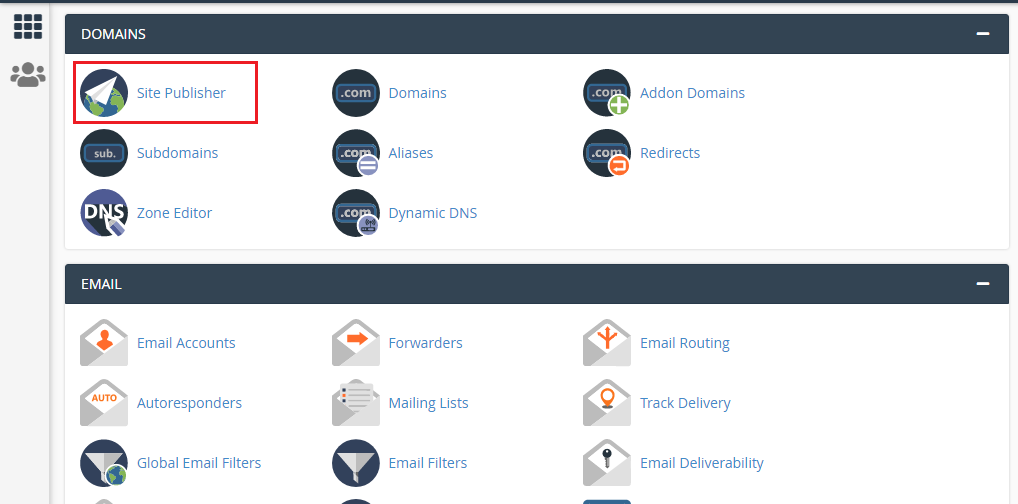
ModulesGarden


Step 3: Here you'll get three options.
 
                         (i) Select a Domain (select the domain for which you want to publish)
                         (ii) Select a Template (choose and select template you want to use)
                         (iii) Customize and Publish (do the rest of the customization)

Step 4: Click Publish.

  • 48 Users Found This Useful
Was this answer helpful?

Related Articles

How to edit hosts file?

Please watch this video: https://www.youtube.com/watch?v=CHBwTzeOkDg Why do we need to edit the...

Cron Job Usage & Policy

Please visit our channel & subscribe: https://youtube.com/dhakawebhost What Is a Cron Job?...

CPU Resource Limit

Please visit our channel & subscribe: https://youtube.com/dhakawebhost CPU Resource...

About cPanel Login

Please watch this video:...

How To Creating an Autoresponder in cPanel

Please visit our channel & subscribe: https://youtube.com/dhakawebhost   To configure Email...