
Please visit our channel & subscribe: https://youtube.com/dhakawebhost
Two-factor authentication (2FA) is an improved security measure that requires two forms of identification: your password and a generated security code. When 2FA is enabled, an app on your smartphone supplies a code you must enter with your password to log in.
Step 1: Log into your cpanel by providing your username and password.

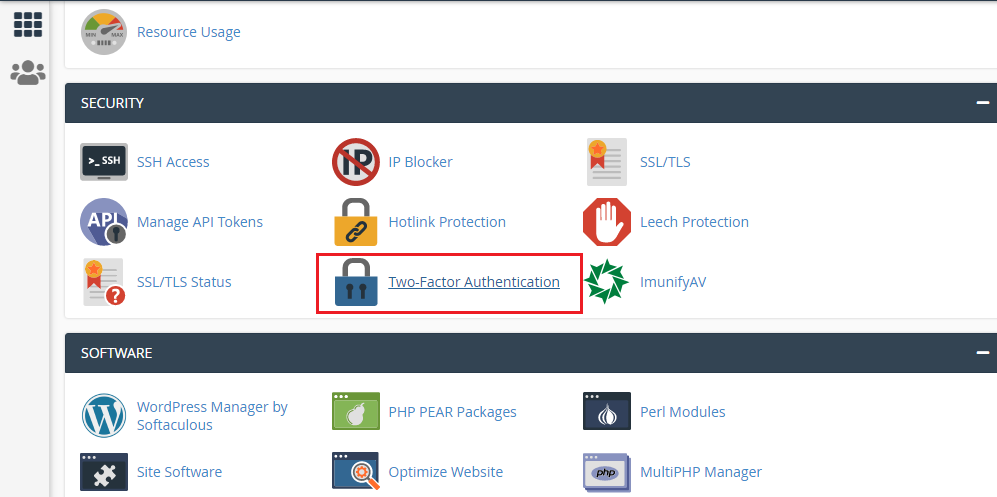
Step 2: Go to Two-Factor Authentication under SECURITY sections.
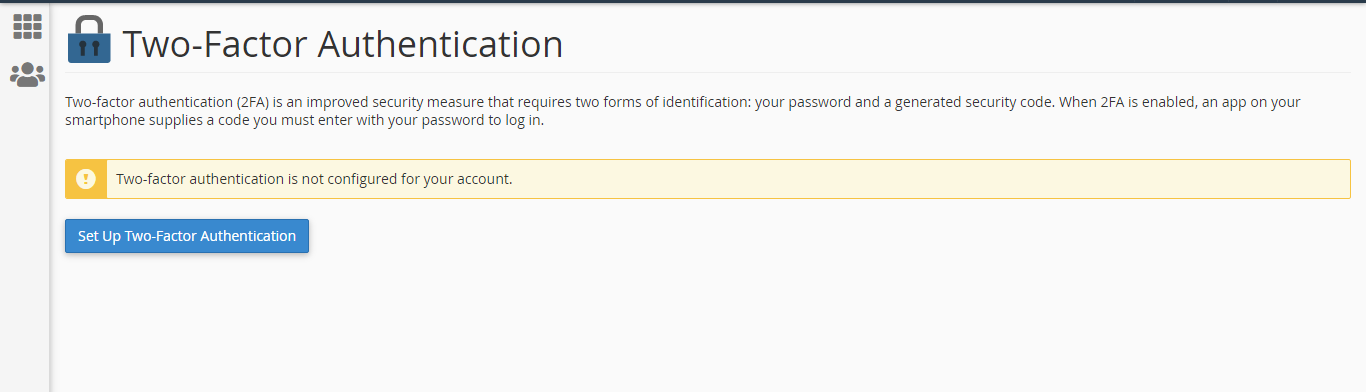
Step 3: Click "Set Up Two- Factor Authentication"
Step 4: To use two-factor authentication, you will need a supported phone app. Here you need to follow two steps to complete the authentication process.
>> Scan the QR code with a two-factor authentication app on your phone. If you do not have any app, you can download it from playstore/app store. If you failed to scan the QR code, enter the information you see there to manually configure two-factor authentication in your app.
>> Enter the security code generated by your two-factor authentication app after successful entries of your account information.
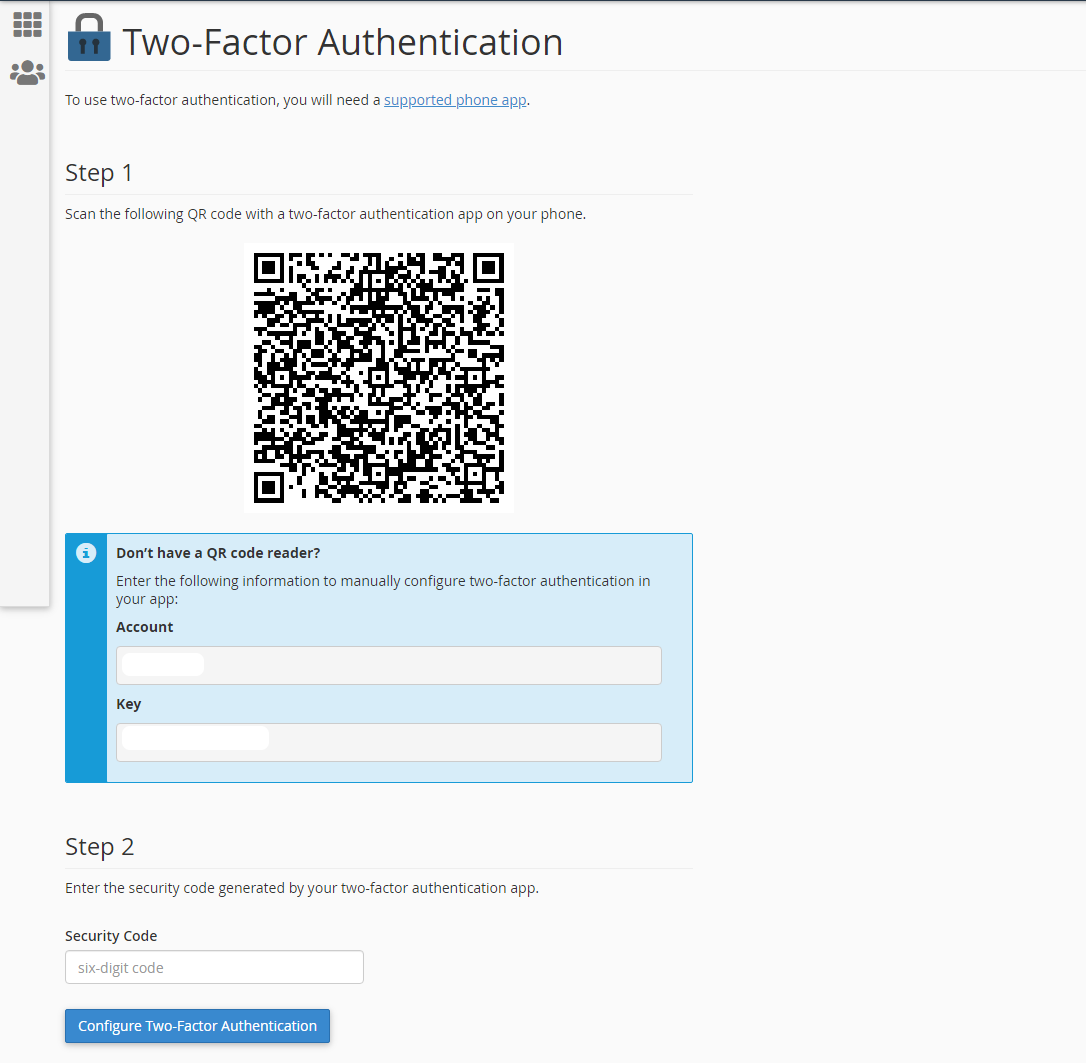
Step 5: Click "Configure Two-Factor Authentication"
