Please watch this video: https://www.youtube.com/watch?v=SPKamyAd0BU
To Setup Email Forward in Cpanel,follow these steps:
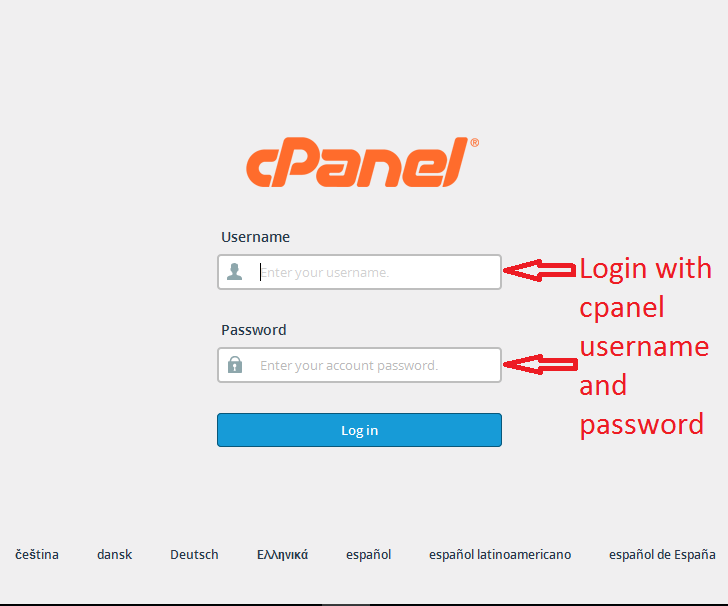
1.First login to the cpanel accounts and go to email accounts.
2.Then go to mail section and click Forwarders.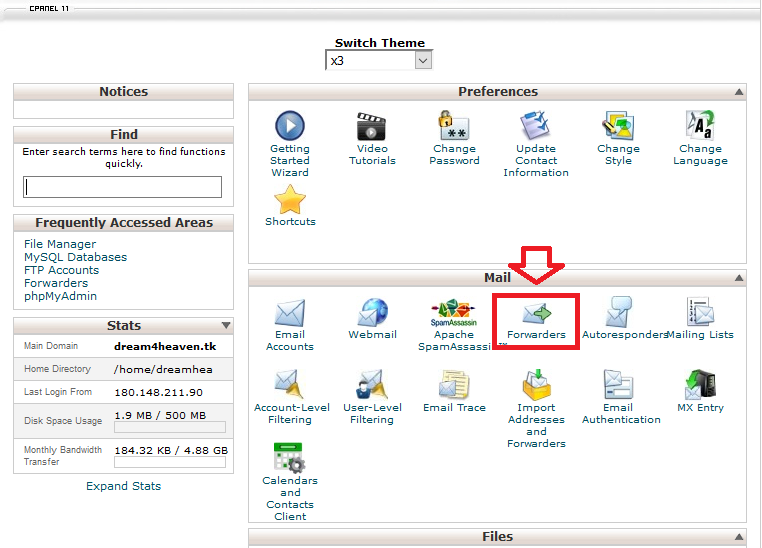
3.Then go to Add Forwarder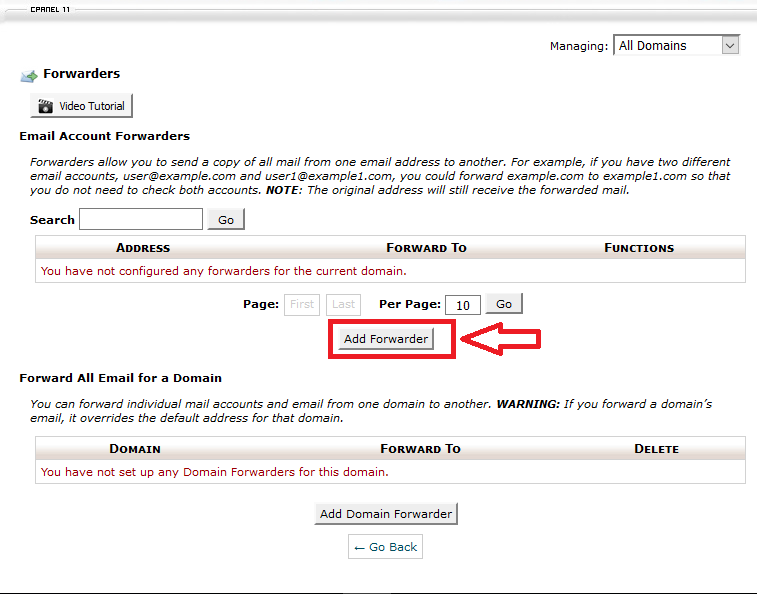
4.After that enter the username of the email what you want to forward.
If you want to forward a error message to sender then type a message
and select the Discard option which is shown by black arrow.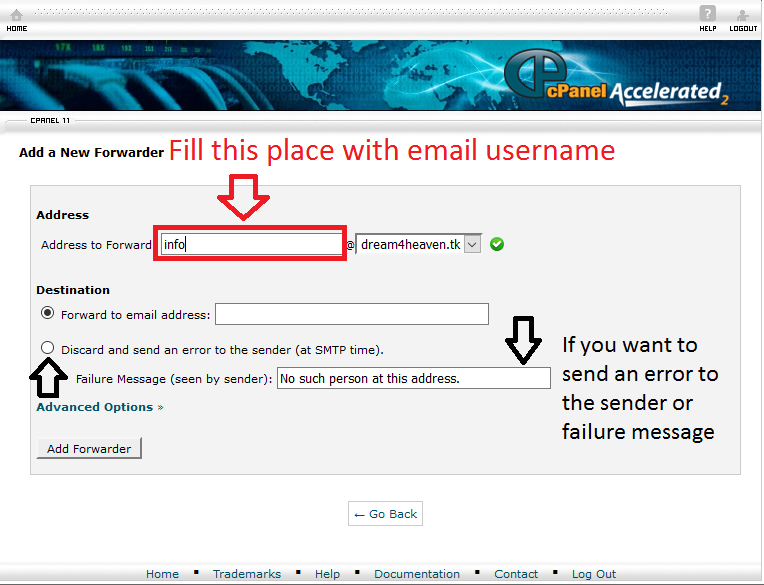
5.Then you entered the full address where you want to forward the mail.
Then press the Add Forwarder button.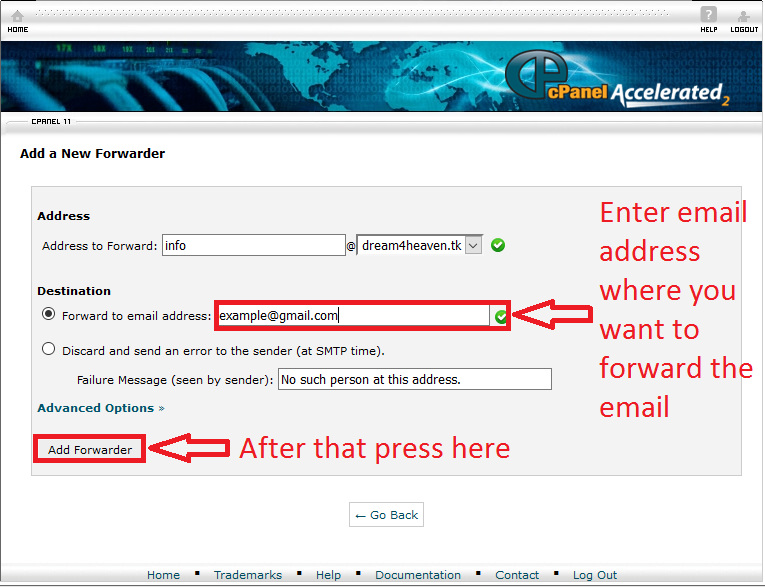
6.Then you will have a confirmation message like bellow.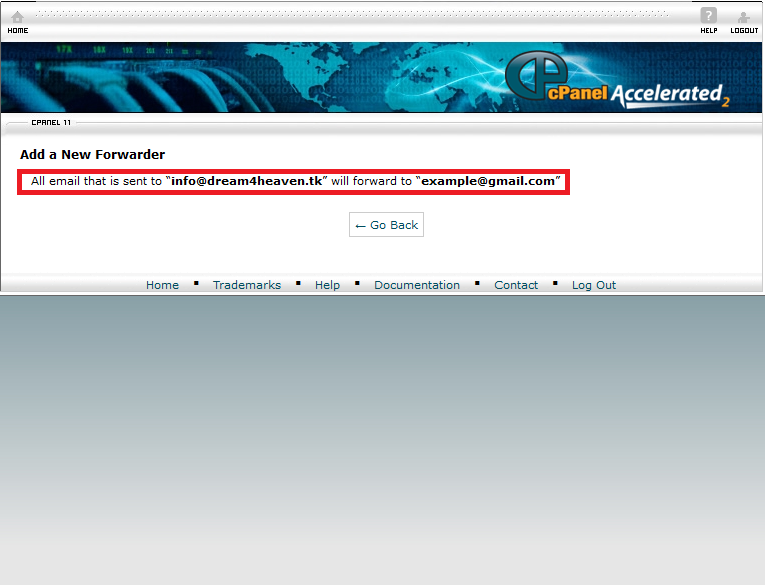
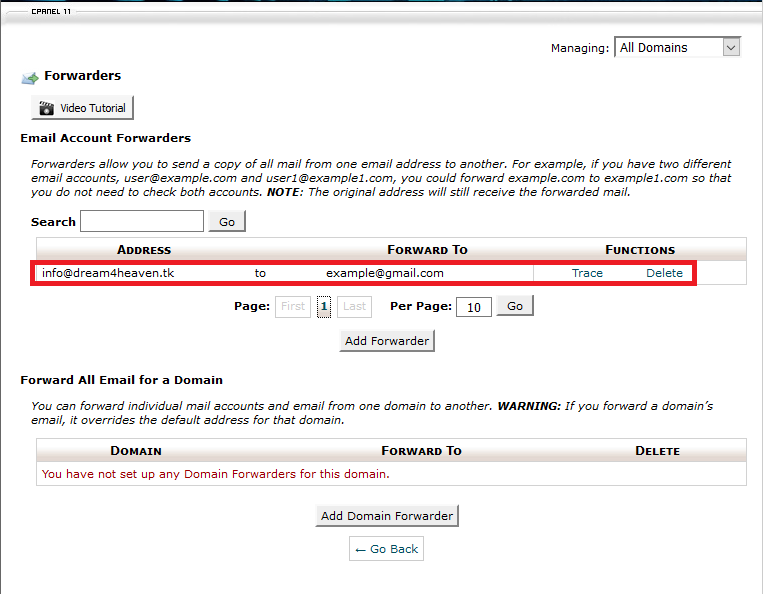
7.After pressing go back you will see image like bellow.you can delete
this settings also.