Configure mail scanner to whitelist or blacklist any email address

Please visit our channel & subscribe: https://youtube.com/dhakawebhost
 
Configure mail scanner to whitelist or blacklist any email address
 
 
Step 1: Log into your cpanel by providing your username and password.

ModulesGarden

 
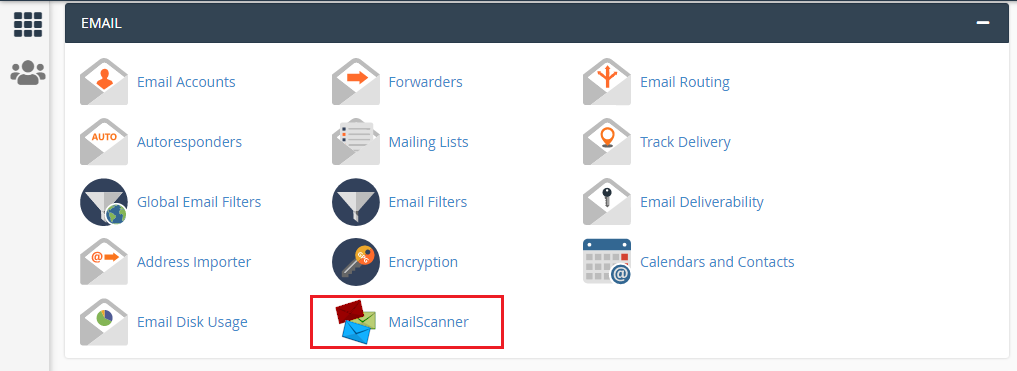
Step 2: Go to MailScanner under EMAIL sections
ModulesGarden

 
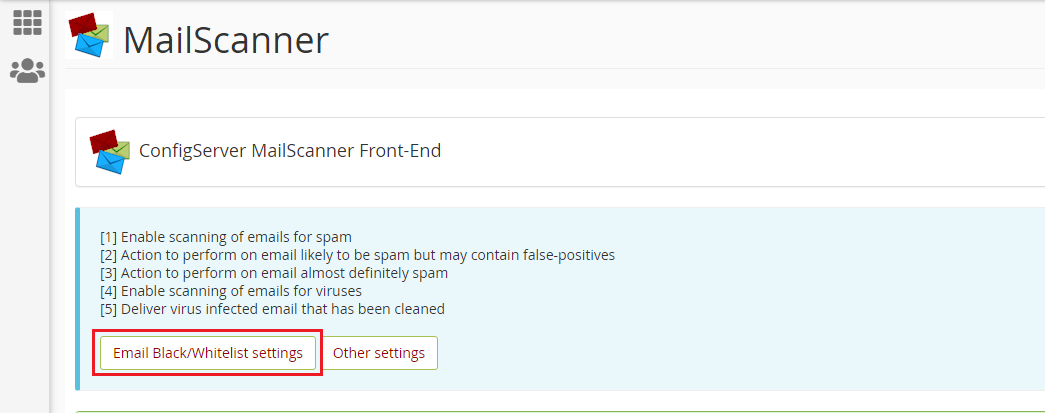
Step 3: Click "Email Black/Whitelist settings"
ModulesGarden

 
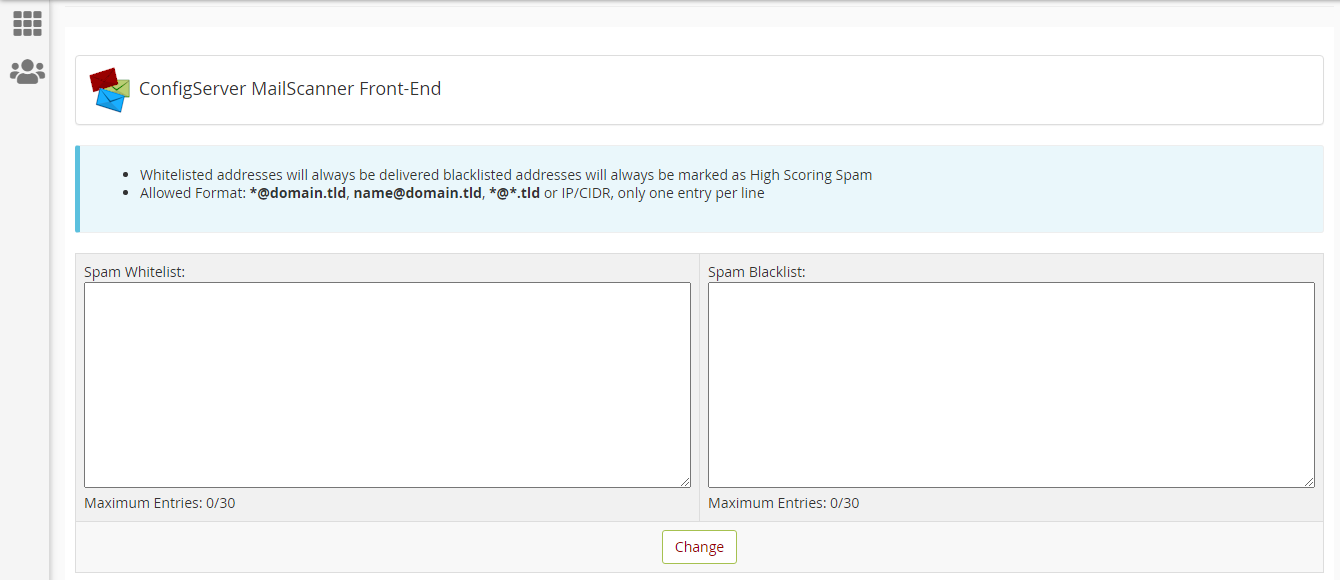
Step 4: Add the email address to whitelist which you never want to miss and blacklist email address you don't want to see in your inbox. (Note: Whitelisted addresses will always be delivered blacklisted addresses will always be marked as High Scoring Spam)

Allowed Format: *@domain.tld, [email protected], *@*.tld or IP/CIDR, only one entry per line
ModulesGarden

 
Step 5: Click "Change"

  • 0 Пользователи нашли это полезным
Помог ли вам данный ответ?

Связанные статьи

How to edit hosts file?

Please watch this video: https://www.youtube.com/watch?v=CHBwTzeOkDg Why do we need to edit the...

Cron Job Usage & Policy

Please visit our channel & subscribe: https://youtube.com/dhakawebhost What Is a Cron Job?...

CPU Resource Limit

Please visit our channel & subscribe: https://youtube.com/dhakawebhost CPU Resource...

About cPanel Login

Please watch this video:...

How To Creating an Autoresponder in cPanel

Please visit our channel & subscribe: https://youtube.com/dhakawebhost   To configure Email...