
Create and manage email filters for your main email account.
Step 1: Log into your cpanel by providing your username and password.

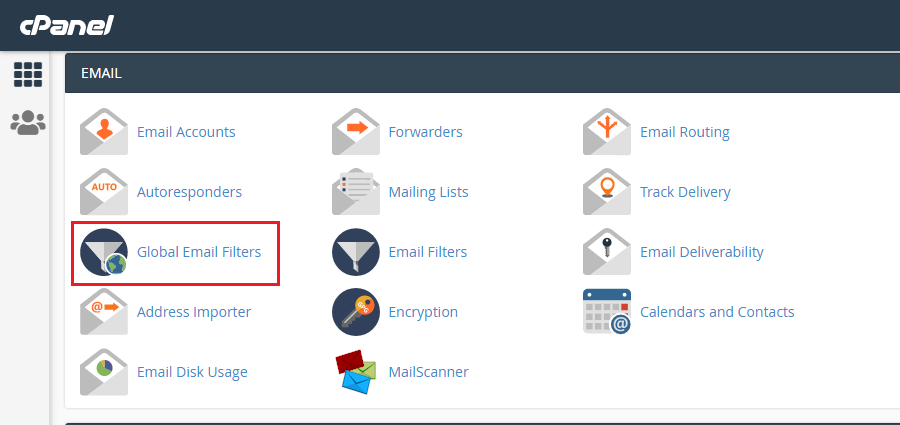
Step 2: Go to Global Email Filters under EMAIL sections.
Step 3: Click "Create a New Filter"
Step 4: Enter Filter Name, Select the rules by which you want to filter email(You can add more rules by cliccking the + sign from the right side of the Rules field). Select Action you want the filtered emails to do.
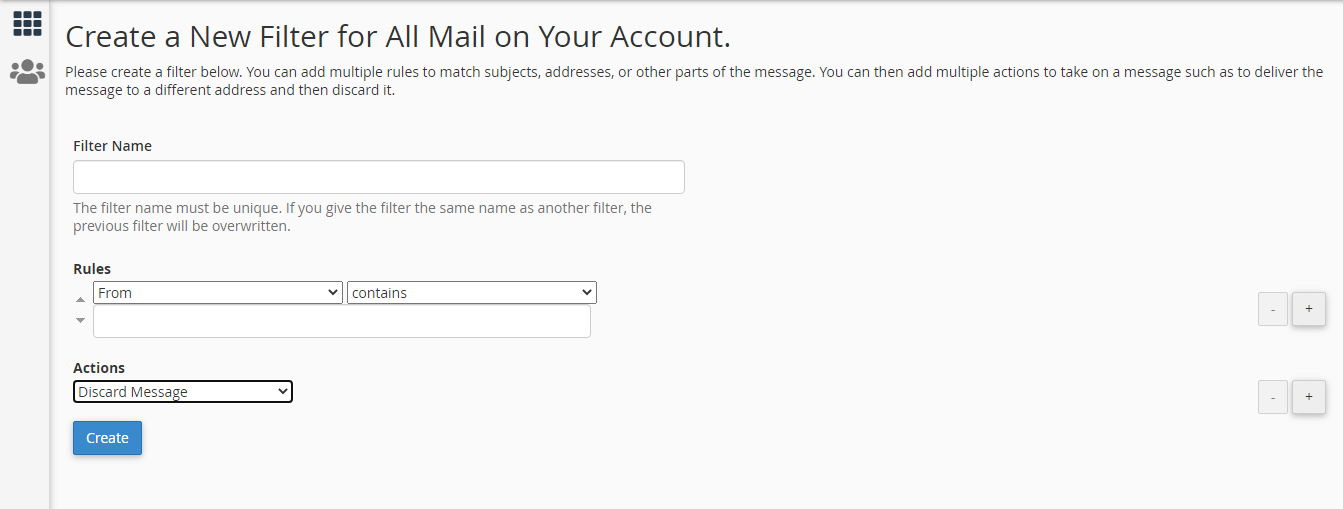
Step 5: Click "Create"
